

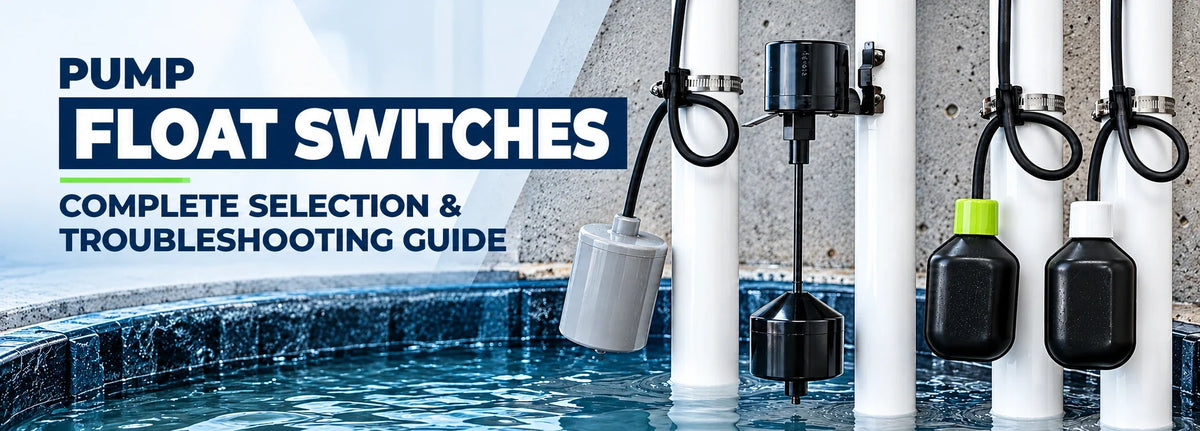
To choose a pump float switch, check what it controls, the pump's electrical requirements, the liquid, and the space available. It also needs to start and stop the pump at the right water levels. If a sump pump float switch stops working, check for a trapped float, damaged cable, or a problem with the pump before buying a replacement.
Some switches turn power to the pump on and off. Others send a signal to a control panel or alarm. Knowing which arrangement you have helps narrow the choice.
For a closer look at the mechanism, read how a float switch controls a pump. Below, we'll cover selection, common faults, and replacement.
How to Choose a Pump Float Switch
Find the pump model and the part number on the existing switch, if available. Use those details to work through the following checks.

Confirm Whether the System Empties or Fills
A pump-down switch starts the pump as water rises and stops it at a lower level. This empties the basin, which is how sump pits and many effluent systems work.
A pump-up switch does the reverse: it starts filling a tank when the water is low and stops when the tank reaches its upper level. An alarm float reports a high or low level and may have no role in starting the pump.
You may also see normally open and normally closed on the label. These describe whether the electrical contacts are connected in the switch's specified resting position. Check its diagram to confirm the action. The two-wire versus three-wire float switch guide explains these terms.
Check What the Switch Controls
A direct pump switch carries the motor's electrical current. Match its voltage and horsepower limits, along with the current the motor draws while running and when starting. Also check AC or DC supply, frequency, and whether the system is single-phase or three-phase. Follow the specified motor-control arrangement for that pump.
A control float sends a signal to a panel, alarm, or another switching device. It needs to match that device's input requirements.
Check both the maximum and minimum electrical load. Some contacts designed for motors do not work reliably with small control signals. For example, the PumpMaster Plus specifications list maximum currents of 15 amps while running and 85 amps when starting for its 120 and 230 VAC single-phase applications. The switch requires a pump with built-in thermal overload protection and is unsuitable for small control loads. A higher amp rating alone does not mean a switch will work with your panel.
Check the Liquid and Operating Conditions
Check which liquids the switch can handle, its temperature limit, and its allowed installation depth. Both the float housing and cable covering must suit the liquid. A switch used in clean water may be unsuitable for sewage, chemicals, or drinking water.
A different liquid density can change how the float rises and sits in the liquid. Grease and deposits can restrict its movement even when the housing remains intact.
For drinking-water tanks, look for the required certification and read its conditions. NSF/ANSI 61 concerns substances that materials can release into drinking water. It does not tell you whether the switch can run your pump.
Measure the Space and Operating Levels
A tethered float needs room to swing. A vertical float moves along a guide. Check that neither will catch on the pump, discharge pipe, basin wall, or nearby cables as the water rises and falls.
The distance between the start and stop water levels is called the pumping range or differential. The pump must stop before the water falls below its required operating level. It must also start early enough to keep the water within the basin's allowed level.
Some switches let you adjust this range; others have fixed settings. Compare tethered, vertical, wide-angle, and narrow-angle float switches to see how the designs differ.
Match the Connection and Cable
A piggyback switch plugs into the outlet, and the pump plugs into the back of the switch's plug. The switch then controls power to the pump. A direct-wired switch connects through fixed wiring.
Match the voltage and plug, and choose enough cable to reach the mounting point without strain. Have a qualified person handle hardwired connections using the correct wiring diagram.
Pump Float Switch Troubleshooting
Isolate the pump and any separate control power before handling the equipment, and prevent it from restarting. Leave electrical fault testing to a qualified person. Do not enter a sewage tank or confined space to inspect a float.

Start with what the pump is doing. The same symptom can have more than one cause.
| Symptom | Possible Causes | First Checks |
|---|---|---|
| Pump does not start as water rises | Trapped float, power loss, overload, or a switch, pump, or panel fault | Check whether water reaches the start level and the float can rise |
| Pump keeps running | Float held up, failed contacts, incorrect connections, or water still entering | Check whether the level falls far enough for the float to stop the pump |
| Pump starts and stops frequently | Too little water between start and stop levels, backflow, or a pump too large for the setup | Watch a full cycle and look for water returning after shutdown |
| Float moves but pump does not respond | Switch contacts, connections, panel, or motor problem | Have a qualified person test the electrical circuit |
| Pump runs but water does not fall | Blocked discharge, check-valve problem, airlock, or more inflow than the pump can remove | Check whether water is leaving through the discharge |
| Pump works only sometimes | Deposits, restricted movement, cable damage, or an electrical fault | Inspect the float, mounting, and cable with power isolated |
When the Pump Will Not Start
Look for a float caught against the wall, discharge pipe, or another cable. Debris can block a vertical float along its guide. Also check whether the water is high enough to reach the start level.
If the float has a clear path, check the rest of the system. A tripped overload, motor fault, or panel setting can keep the pump off even when the float signals it to start.
When the Pump Will Not Stop
Check whether the float can drop to its stop position. Then look at the water: is it leaving the basin, and is the level going down?
The pump may be working correctly but struggling to keep up with incoming water. A blocked discharge or a pump that cannot move enough water at the required lift can also keep the level high. These problems need attention beyond the float switch.
When the Pump Short Cycles
Short cycling means frequent starts and stops. A small basin, or start and stop levels set close together, leaves little water to remove during each cycle.
Water returning through a faulty check valve can refill the basin quickly. A pump that moves water much faster than it enters can also run for very short periods when the basin holds little water between its start and stop levels.
Before adjusting a tether, check the permitted length and start and stop levels. Some built-in switches cannot be adjusted. Zoeller's troubleshooting guidance explains how basin size and pumping range affect cycling.
How to Test a Sump Pump Float Switch
Begin with the float's movement, then check its electrical response and the pump's operation.
- Inspect with power isolated. Check for obstructions, loose mounting, and damage to the float or cable. Follow the service instructions when cleaning or repositioning parts.
- Have the contacts tested if needed. A qualified person can disconnect the switch from the circuit and check whether its contacts open and close as the diagram requires. A click or rattle alone does not show that it works.
- Test the assembled system. Follow the model's water-test procedure. From a safe position, watch the pump start, move water, and stop at the required level. Test any separate alarm functions too.
The full water test matters because a contact test cannot show whether the pump actually drains the basin. It also cannot confirm that the switch is rated for the connected load.
Some piggyback models allow a supervised bypass test under their instructions. Do not leave the switch bypassed: the pump loses its automatic start and stop control.
Adjust, Clean, or Replace the Float Switch?
Cleaning may be enough when deposits prevent an undamaged float from moving. Repositioning may help when it catches on a pipe or cable. Adjust the water levels only if the design allows it and the new settings meet the pump's requirements.
Failed contacts, a cracked housing, water inside the float, or a damaged cable may require replacement. Follow the service instructions; do not open a sealed float or patch a damaged cable with tape.
If the same fault returns, look for the cause before fitting another switch. Cable strain, repeated snagging, or the wrong electrical load can damage the replacement too.
Before ordering, record:
- Pump model and existing switch part number.
- Voltage, running and starting current, and whether the switch powers the pump or signals a panel.
- Filling, emptying, or alarm function.
- Liquid, temperature, and applicable certification requirements.
- Space around the float, start and stop levels, connection, cable length, and mounting.
Float Switch Options by Application
These switches serve different jobs. Start with the application, then check the exact model against your pump or control panel.
SJE PumpMaster Plus
The SJE PumpMaster Plus switches power directly to a pump in water and sewage systems. Check the selected version's voltage, motor-current limits, and pumping range before choosing it.

SJE VerticalMaster 3 Plus
The SJE VerticalMaster 3 Plus suits sump pits with limited room for a swinging float. It is designed for pump-down operation. Confirm the listed voltage and leave a clear path for the float to move up and down.

SJE PumpMaster SPDT
The SJE PumpMaster SPDT can be wired for filling or emptying a tank. It connects through fixed wiring, so the wiring diagram and motor ratings need to match the installation. The pump must have built-in thermal overload protection.
SJE SignalMaster
The SJE SignalMaster sends a level signal to a pump panel or alarm. Check the circuit's voltage and both its minimum and maximum load requirements, especially when replacing a float connected to a small control signal.

SJE PumpMaster WPS
The SJE PumpMaster WPS provides direct pump switching in drinking-water systems. Check its motor ratings, wiring requirements, and the minimum tank volume covered by its potable-water certification. The pump must have built-in thermal overload protection.

SJE MilliAmpMaster WPS
The SJE MilliAmpMaster WPS handles small control signals in drinking-water systems. It signals a compatible panel or alarm rather than carrying the pump's motor load. Match the panel input requirements and check the minimum tank volume.
For drinking-water use, the WPS product documentation specifies tanks of at least 250 US gallons per float. The MilliAmpMaster WPS specifications give the same minimum, so check tank volume before choosing either model.

An approved float switch cable weight can provide the pivot point for a suspended float. For a separate warning when water rises too high, compare tank alarm systems.
Keep the Float Moving Freely
Follow the model's cleaning and testing schedule. Look for deposits, loose mounting, and cables that could trap the float. Keep it clear of incoming flow and nearby equipment.
After service, test the pump and alarms again. Note any repeated snagging or unusual cycling so the next inspection has a useful starting point.
Have your pump model, electrical ratings, and required start and stop levels ready when comparing float switches and accessories.
Frequently Asked Questions
How Do You Know If a Sump Pump Float Switch Is Bad?
The pump may fail to start, keep running, or work only sometimes. These symptoms can also come from the pump or power supply, so check for a trapped float and have the switch tested before replacing it.
Can You Replace a Float Switch Without Replacing the Pump?
Often, yes, if the switch is a separate replaceable part and a suitable replacement is available. Check the service instructions for pumps with built-in controls.
Why Does My Sump Pump Keep Running?
The float may be stuck, the switch may have failed, or water may be entering faster than the pump can remove it. A blocked discharge is another possibility. Check whether the water level drops to the stop point.
Are Sump Pump Float Switches Universal?
No. Match the pump's electrical requirements, the liquid, the connection, and the start and stop levels. The float also needs enough room to move freely.